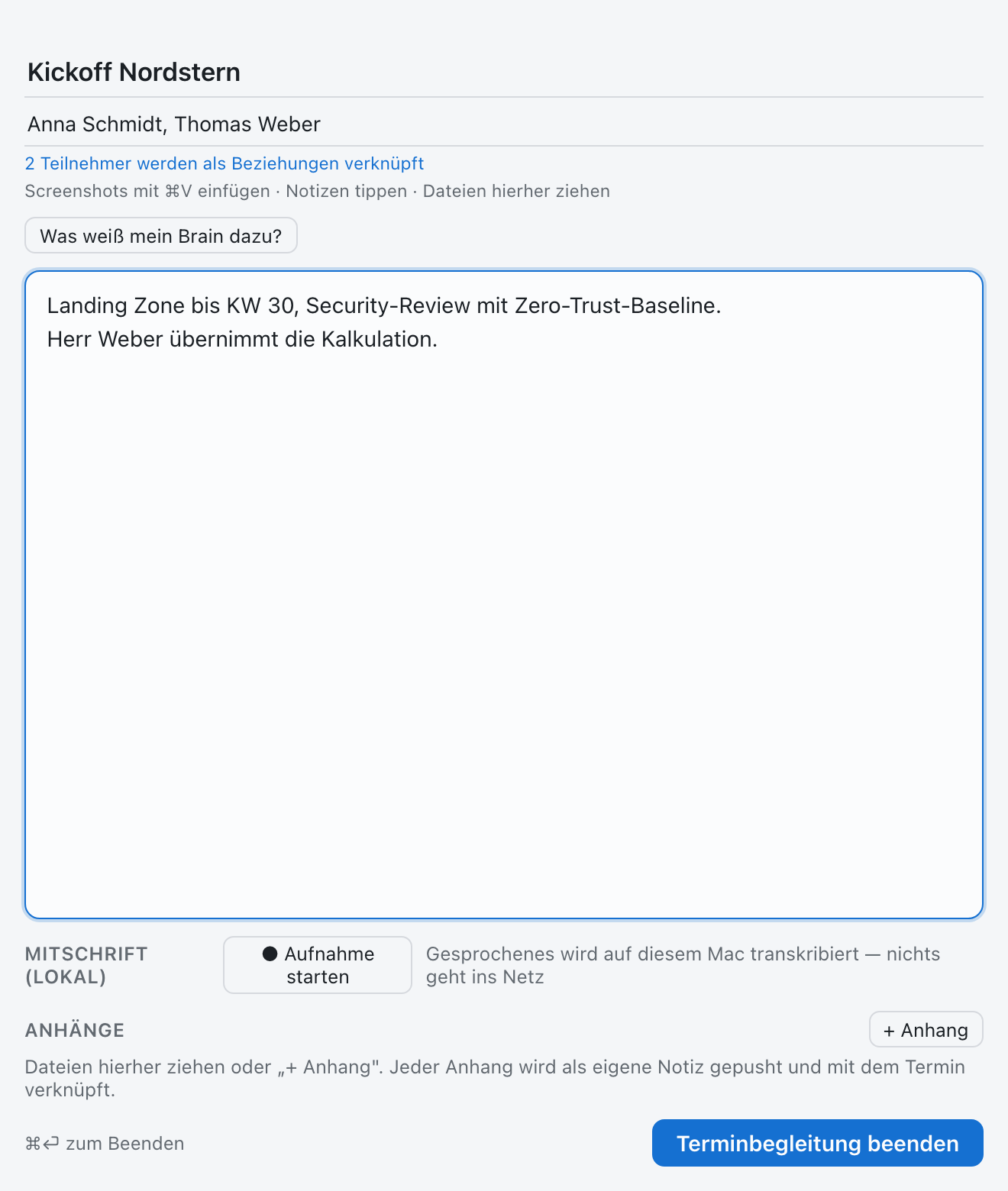
The meeting window: notes, local transcript and attachments in one place.
Ask before the meetingIn the meeting window (⌥ T) SideBrain takes title and attendees from your calendar. “What does my brain know about this?” shows relevant facts, open points and sources up front.
Take notes, locallyType notes, drag in files and screenshots. The transcript is optional and runs entirely on your Mac; none of it leaves the machine.
Close and confirmOn closing, SideBrain drafts a minutes header with summary, decisions and open points, including owners. You review it and confirm, and the meeting note is stored in your Gbrain.
Read it back laterAsk in the chat: “What did we decide about the interface?” The answer names its sources, and one click opens the note.
The brain stays on your device, and the AI runs at your own endpoint (BYOK). No telemetry, no account.
Try it with your next document.
Download SideBrain for macOS, start a Capture, confirm the note.